TV Viewing Distance Calculator
Find your perfect seat. Enter your TV specs and current distance.
Enter details above to see recommendations.
You just bought a sleek new 55-inch TV. It looks incredible in the box. But now you’re standing in your living room, staring at the empty wall and the sofa across from it, wondering: "Is this too close? Is it too far?" You’re not alone. Getting the distance right isn’t just about aesthetics; it’s about comfort, eye strain, and actually enjoying that crisp 4K resolution you paid for.
Here is the short answer before we get into the details: For most people, sitting between **7 and 11 feet** (roughly 2.1 to 3.4 meters) away from a 55-inch screen is the sweet spot. But "most people" is a vague term. If you have 20/20 vision, you might want to sit closer. If you watch sports or movies with lots of motion, you might prefer a bit more distance. Let’s break down exactly how to find *your* perfect seat.
The Science Behind Screen Size and Eye Comfort
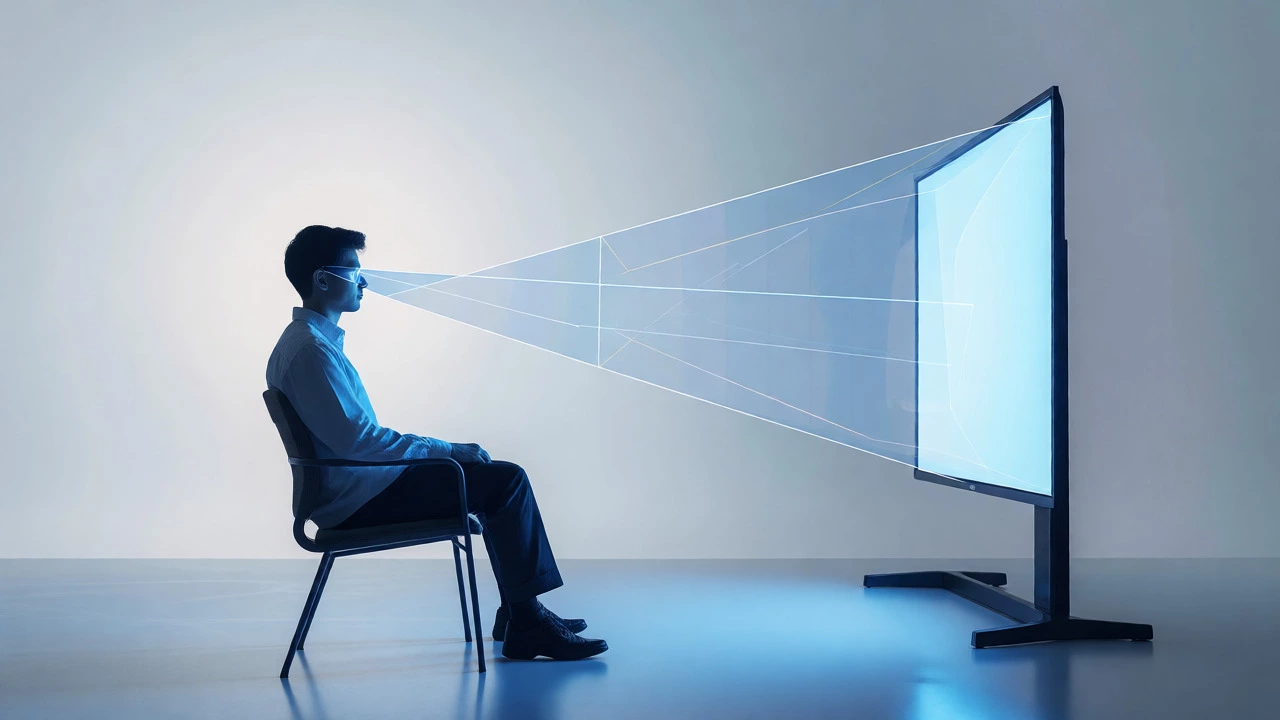
Why does distance matter so much? It comes down to something called the visual angle. Your eyes have a limited field of view where they can focus comfortably without moving your head too much. When a screen is too large for your distance, you end up scanning back and forth like you’re reading a newspaper. That causes neck strain and fatigue. Too far away, and you lose the immersion. The pixels become visible as tiny dots rather than a seamless image, especially on high-definition screens.
Major organizations like the Society of Motion Picture and Television Engineers (SMPTE) and THX have developed guidelines for this. They aren’t arbitrary rules made up by salespeople trying to upsell you a bigger screen. They are based on human physiology. THX, for instance, recommends a viewing angle of about 40 degrees for cinema-like experiences. This means the screen should fill a significant portion of your peripheral vision without overwhelming it.
Calculating Your Ideal Distance
You don’t need a degree in optics to figure this out. There are simple formulas you can use. The general rule of thumb has changed over the years as resolutions improved. In the old days of standard definition, you needed to sit further back to hide the pixel grid. With modern 4K TVs, you can sit much closer and still see a sharp image.
For a 55-inch 4K TV, here is the breakdown:
- Immersive Experience (Gaming/Movies): Sit about 1 to 1.5 times the diagonal screen size. For a 55-inch TV, that’s roughly 4.5 to 7 feet. This is great if you want to feel like you’re inside the movie, but be warned: some people find this too intense for casual watching.
- Balanced Viewing (General Use): Sit about 1.5 to 2.5 times the diagonal. For our 55-inch example, that’s 7 to 11.5 feet. This is the range most living rooms fall into naturally. It allows you to see the whole screen without turning your head constantly.
- Relaxed Viewing (Background/Sports): Sit 2.5 to 3 times the diagonal. That’s 11.5 to 14 feet. At this distance, you might start noticing pixelation if you look closely, but it’s perfectly fine for catching up on the news or watching a game where you’re also chatting with friends.
If you are using a 1080p HD TV instead of 4K, add another foot or two to these distances. Lower resolution means larger pixels, so you need more space to blend them together visually.
Room Layout and Furniture Constraints
Math is great, but your living room doesn’t care about math. It cares about doorways, windows, and where the coffee table sits. Here is where reality kicks in. You might calculate that 8 feet is ideal, but your sofa is currently against a wall that puts it 12 feet away.
Before you buy a new TV stand or move furniture, measure two things:
- Viewing Distance: Measure from the center of your main seating position to the center of the TV screen. Don’t measure to the wall behind the TV; measure to the glass surface.
- Eye Level: This is often overlooked. When you are seated, your eyes should be level with the center of the TV screen or slightly below it. If you mount the TV above a fireplace, you are likely looking up at an angle. This causes neck strain over time. If you must mount it high, consider tilting brackets that angle the screen down toward your seats.
A common mistake is placing the TV too high. We tend to think "higher is better" because it clears sightlines for people walking around. But for actual viewing, lower is better. If your current setup forces you to look up, consider getting a low-profile TV stand or mounting the TV lower on the wall.
The Role of Resolution: Why 4K Changes Everything
If you are still debating between a 55-inch and a 65-inch TV, resolution is the deciding factor. On a 1080p screen, sitting closer than 8 feet reveals individual pixels. It looks like a mesh net over your movie. On a 4K screen, the pixels are so small that you can sit much closer without seeing them.
This is why many people who upgrade to 4K realize their 55-inch TV feels smaller than they expected. They were used to sitting further back. Now that they can sit closer, the 55-inch feels less immersive. If you plan to sit within 7 feet of your screen, seriously consider going up to 65 inches. If your room forces you to sit 10+ feet away, 55 inches is plenty.
| TV Size | Resolution | Ideal Min Distance | Ideal Max Distance |
|---|---|---|---|
| 55 Inches | 4K UHD | 7 Feet (2.1m) | 11 Feet (3.4m) |
| 55 Inches | 1080p HD | 8 Feet (2.4m) | 14 Feet (4.3m) |
| 65 Inches | 4K UHD | 8 Feet (2.4m) | 13 Feet (4.0m) |
| 75 Inches | 4K UHD | 9 Feet (2.7m) | 15 Feet (4.6m) |
Adjusting for Personal Preference and Content Type
Guidelines are starting points, not laws. Your personal tolerance for closeness varies. Some people love being right up against the screen; others feel claustrophobic. Test it out. Before you permanently mount your TV, put it on a temporary stand or stack of boxes at different distances. Watch a fast-paced action scene and a slow dialogue scene. See which distance feels natural.
Also, consider what you watch. Sports broadcasts often use wide shots that benefit from a bit more distance so you can track the ball across the field without your eyes darting around. Movies with subtle facial expressions benefit from being closer, so you can catch the nuances of acting. Video games require quick reaction times, so having the entire UI visible without head movement is crucial-this usually pushes you toward the shorter end of the distance spectrum.
Troubleshooting Common Setup Issues
What if your room is narrow? Or your sofa is fixed in place? Here are a few workarounds:
- Too Close? If you are stuck sitting 5 feet from a 55-inch 4K TV, it’s actually fine. You won’t see pixels. Just be aware that you might need to turn your head slightly to see corners of the screen. Consider angling the TV slightly inward if you have multiple seats.
- Too Far? If you are 15 feet away, a 55-inch TV will look small. You might struggle to read subtitles or see details in dark scenes. In this case, upgrading to a projector or a larger TV is the only real fix. Alternatively, increase the font size in your streaming app settings.
- Mixed Seating: Most living rooms have a primary chair and a secondary sofa. Optimize for the primary viewer. Secondary viewers can adjust their own chairs or accept a slightly wider viewing angle.
Remember, there is no single "correct" distance. There is only the distance that lets you enjoy your content without straining your eyes or neck. Start with the 7-11 foot range for a 55-inch 4K TV, then tweak it until it feels right.
Is 55 inches too big for a small apartment?
Not necessarily. If your apartment has a narrow living area, you can sit closer. With a 4K 55-inch TV, sitting 5 to 6 feet away is acceptable and provides a very immersive experience. Just ensure you aren't forced to turn your head excessively to see the edges of the screen.
Does the type of TV panel affect viewing distance?
Yes, indirectly. OLED panels have excellent contrast and black levels, which can make images pop even at greater distances. LCD/LED panels may wash out slightly at extreme angles. However, the primary driver of distance recommendations is resolution (pixel density), not the panel technology itself.
How do I measure my viewing distance correctly?
Measure from the front of your face when seated in your usual position to the center of the TV screen's glass surface. Do not measure to the wall behind the TV, as the depth of the TV cabinet or soundbar adds extra distance.
Should I sit higher or lower than the TV?
Ideally, your eye level should align with the center of the screen or be slightly below it. Sitting significantly higher than the TV forces you to look down, which is generally more comfortable than looking up. Avoid mounting TVs above fireplaces unless necessary, as this forces an upward gaze that causes neck strain.
Can I use a ruler to check if I'm sitting too close?
A simple test is to hold your hand out at arm's length. If your open palm covers the height of the TV screen, you are likely sitting too close. You should be able to see the top and bottom of the screen without moving your head vertically.