
Ergonomic Desk Setup Calculator
Your Measurements
Enter your measurements to find your "Goldilocks" zone.
You’ve probably felt it before: that dull ache in your lower back after a long morning of work, or the strange tension creeping into your neck. We often blame our chairs, but the real culprit might be something much simpler-your height relative to your desk. The question isn’t just about comfort; it’s about whether sitting higher or lower actually protects your spine and improves your focus. The short answer? Neither extreme is good. You need a specific 'goldilocks' zone where your body stays neutral.
Most people guess their ideal sitting position without measuring anything. They pull up a chair, type for an hour, and assume if they don’t hurt immediately, they’re fine. But ergonomics isn’t about immediate pain; it’s about preventing cumulative damage over years. Whether you are working from a home office in Wellington or a cubicle in London, getting this right changes how your entire skeleton aligns.
The Gold Standard: What Your Body Actually Needs
To figure out if you should sit higher or lower, we first need to define what 'correct' looks like. In ergonomic science, this is called neutral posture. This means your joints are in their most natural, relaxed positions with minimal strain on muscles and ligaments.
Here is the checklist for a neutral seated position:
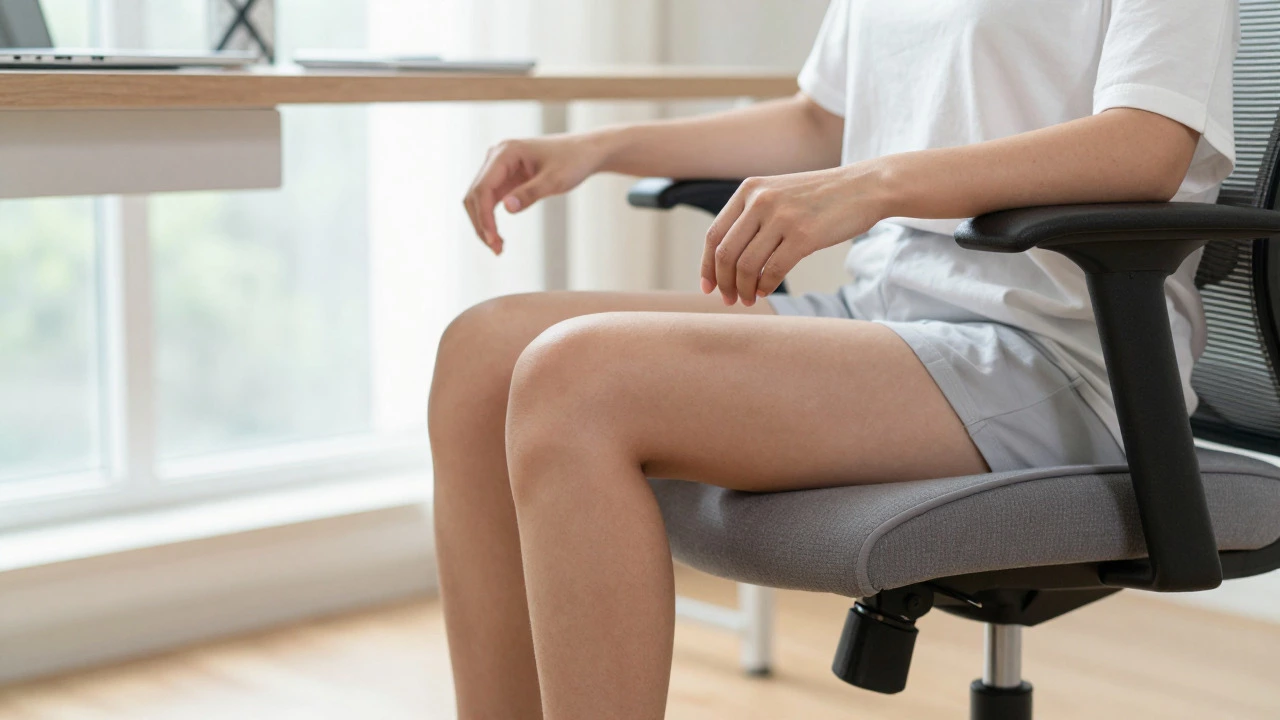
- Hips and Knees: Your hips should be slightly higher than your knees, creating a gentle backward tilt in your pelvis. Your thighs should be parallel to the floor, or sloping down very slightly toward your feet.
- Ankles: Your feet must rest flat on the floor. If they dangle, you lose stability. If they are pressed hard against the floor because you are too low, you cut off circulation.
- Elbows: When typing, your upper arms should hang naturally by your sides, and your forearms should be parallel to the floor. Your elbows should form a 90-to-100-degree angle.
- Eyes: The top third of your computer monitor should be at eye level. This keeps your neck straight instead of craning forward or looking down.
If you hit all these points, you are in the sweet spot. If you miss them, you are either sitting too high or too low.
The Problem with Sitting Too Low
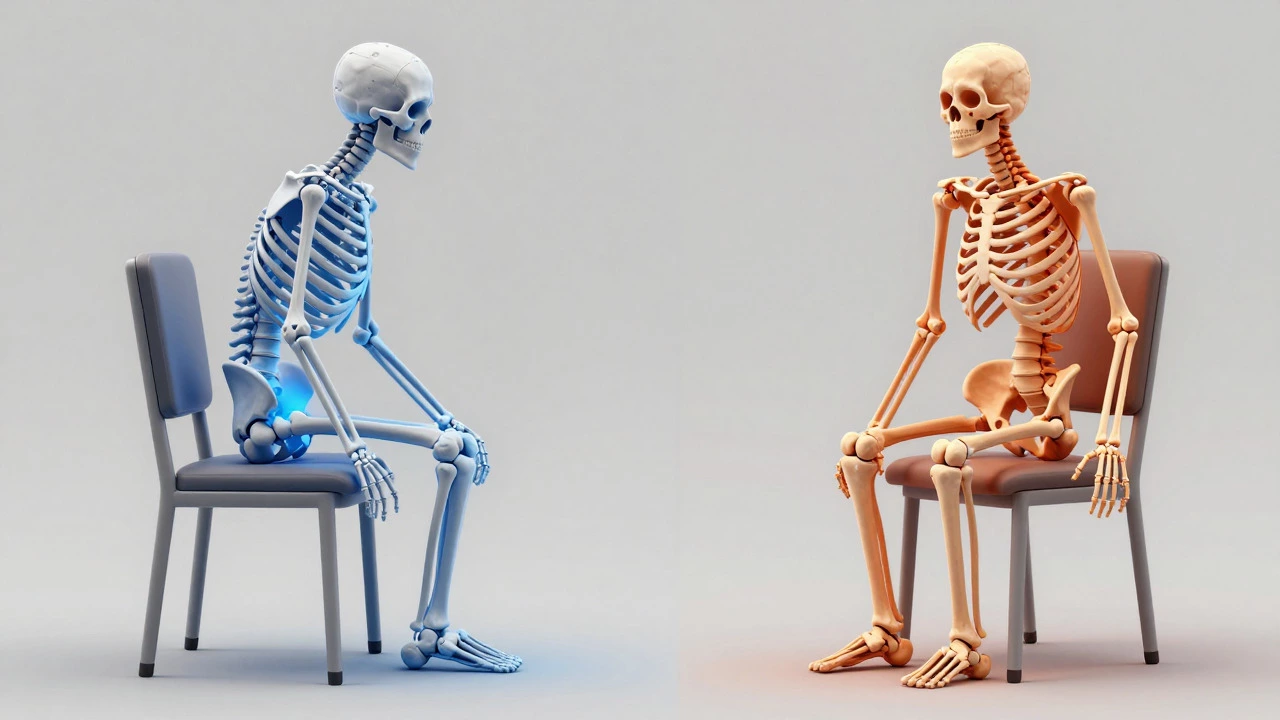
Sitting too low is surprisingly common, especially among people who buy cheap office chairs without adjustable gas lifts. When your seat is too low, your hips drop below your knees. This forces your pelvis to tuck under-a position known as posterior pelvic tilt.
This tilt flattens the natural curve of your lower back (lumbar lordosis). Instead of your spine absorbing shock and distributing weight, your discs take the brunt of the pressure. Over time, this can lead to disc degeneration or chronic lower back pain.
But there’s another issue: circulation. If your feet don’t touch the ground firmly, you might cross your legs to find stability. Crossing your legs restricts blood flow to your lower extremities and can cause swelling in the ankles. Plus, when your hips are lower than your knees, your quadriceps have to work harder just to keep you upright, leading to premature fatigue.
| Body Part | Sitting Too Low | Sitting Too High |
|---|---|---|
| Lower Back | Flattened curve, increased disc pressure | Slouching to reach keyboard, rounded shoulders |
| Hips & Knees | Hips below knees, poor stability | Pressure behind thighs, restricted blood flow |
| Arms & Shoulders | Shoulders hunched to reach mouse | Elbows bent sharply, wrist extension strain |
| Feet | Dangling, crossed legs, swelling | Firmly planted, stable base |
The Trap of Sitting Too High
On the flip side, sitting too high creates a different set of problems. This usually happens when someone adjusts their chair up to meet eye-level with a monitor but forgets to adjust their feet or keyboard tray. When your seat is too high, your feet may hover or barely touch the ground. Even if they touch, your thighs are likely perpendicular or angled upward, pressing heavily against the edge of the seat pan.
This pressure compresses the femoral artery and nerves behind your knees. You might feel numbness or tingling in your feet within minutes. To compensate, many people slide forward in their chair, losing lumbar support entirely. This leads to slouching, which rounds the upper back and strains the neck muscles as you try to see the screen.
Another hidden risk of sitting too high is shoulder tension. If your chair is raised to match a fixed-height desk, your elbows might end up higher than your wrists. This forces you to shrug your shoulders slightly while typing. Over eight hours, those shrugged shoulders become rock-hard knots of tension.
How to Find Your Perfect Height
So, do you sit lower or higher? You sit exactly where your anatomy dictates. Here is a step-by-step method to find that spot using only your body and a ruler (or a smartphone).
- Start with Your Feet: Sit in your chair with your feet flat on the floor. Adjust the seat height until your knees are at a 90-degree angle. Your thighs should be parallel to the floor. If your heels lift off the ground, you are too high. If your knees bend more than 90 degrees, you are too low.
- Check Your Hips: Look at your hip joint. Is it slightly higher than your knee? If yes, great. If your knee is higher than your hip, raise the seat slightly. Use a footrest if your feet still don’t touch the floor comfortably.
- Align Your Arms: Keep your hands on the keyboard. Are your elbows close to your body? Are your forearms horizontal? If your shoulders are hiking up, lower the chair. If your wrists are bending upward, raise the chair slightly or use a keyboard tray.
- Fix Your View: Now, look at your monitor. If your eyes are darting down, the monitor is too low. Raise the monitor, not your chair. Your chair height is determined by your legs and arms; your monitor height is determined by your eyes.
This sequence is crucial. Many people get it backwards. They raise their chair to see the screen better, then suffer from bad leg circulation. Always prioritize lower-body alignment first, then adjust the workspace around you.
What If Your Desk Doesn’t Match?
Here is the reality check: standard desks are typically 29 to 30 inches (74-76 cm) high. This height works perfectly for someone who is about 5’9" (175 cm) tall. If you are shorter or taller, a fixed desk will force you into a compromise.
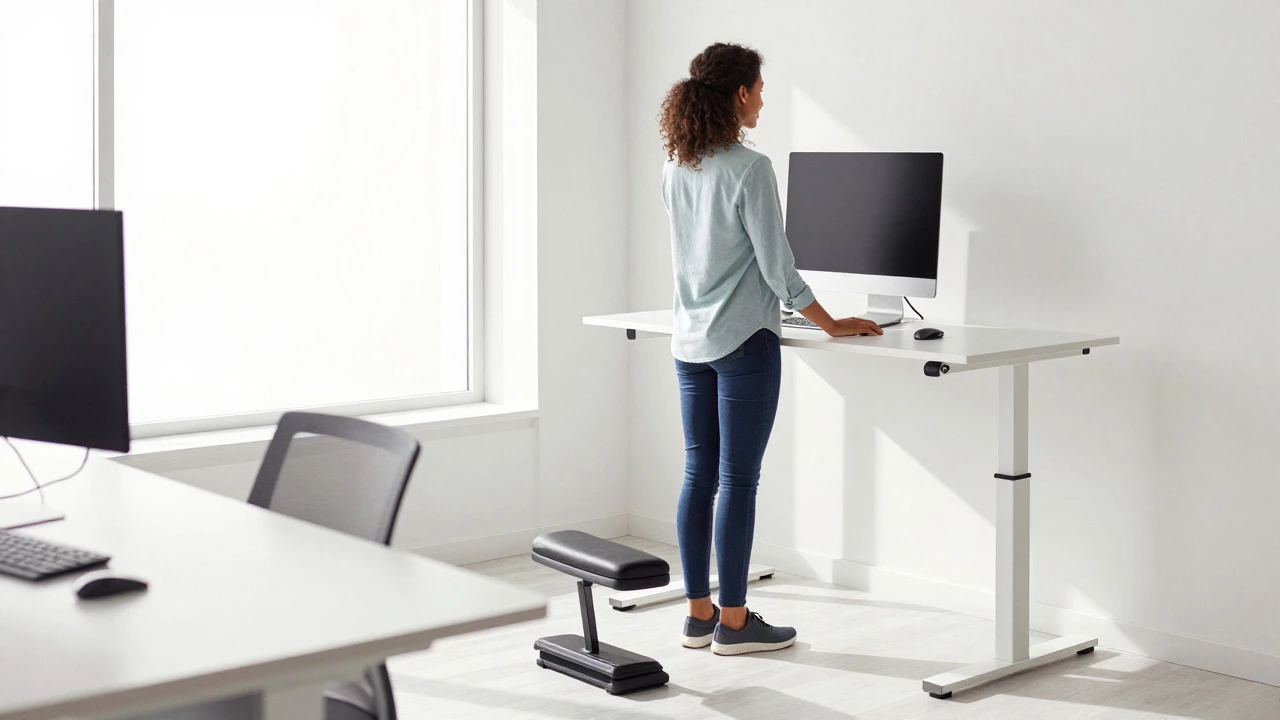
If you are under 5’6" (168 cm), a standard desk will likely require you to sit too high to keep your elbows aligned, causing your feet to dangle. In this case, you need a footrest. A footrest allows you to raise your chair to the correct arm height while keeping your feet supported. This restores the 90-degree knee angle and stabilizes your pelvis.
If you are over 6’0" (183 cm), a standard desk might force you to sit too low, causing you to hunch your shoulders to reach the keyboard. Here, you need to raise the desk surface. Laptop risers, monitor stands, or even sturdy boxes can help. Alternatively, consider an adjustable-height desk that can go higher than the standard limit.
The Role of Dynamic Sitting
Even if you find the perfect static height, staying in one position for four hours is bad for you. The human body was designed to move. Dynamic sitting involves shifting your weight, changing your posture, and alternating between sitting and standing.
Studies show that micro-movements increase blood flow and reduce muscle stiffness. If you have a sit-stand desk, use it. Start with 15 minutes of standing every hour. As you build endurance, aim for a 1:1 ratio of sitting to standing. However, remember that standing has its own ergonomic requirements: wear supportive shoes, keep your weight evenly distributed, and don’t lock your knees.
If you don’t have a sit-stand desk, you can still practice dynamic sitting. Lean forward slightly to engage your core, then lean back to relax your abdominal muscles. Shift your weight from left to right. These small adjustments prevent any single muscle group from fatiguing.
Common Mistakes to Avoid
People often make intuitive errors when setting up their workspace. Here are three traps to avoid:
- The "Comfortable Slouch": Just because you can sink into a soft cushion doesn’t mean it’s good for you. Soft seats often lack structural support, causing your pelvis to rotate forward or backward unpredictably. Firm, contoured seats maintain better spinal alignment.
- Ignoring Lumbar Support: Even if your height is perfect, you need support for the inward curve of your lower back. If your chair lacks adjustable lumbar support, place a small rolled-up towel behind your lower back. It acts as a wedge to maintain that natural curve.
- Keyboard Distance: If your keyboard is too far away, you’ll reach for it, straining your shoulders. If it’s too close, you’ll bump your elbows into your ribs. The keyboard should be close enough that your elbows stay tucked in.
When to Seek Professional Help
If you’ve adjusted your chair, added a footrest, and raised your monitor, but you still experience persistent pain, it might be time to consult a physical therapist or an occupational health specialist. They can assess your individual biomechanics, including leg length discrepancies or pre-existing spinal conditions, which generic advice won’t address.
Remember, ergonomics is personal. What works for your colleague might hurt you. Listen to your body. Pain is a signal, not a suggestion. Adjust, experiment, and find the position that lets you work without thinking about your posture.
Should my knees be higher or lower than my hips?
Your hips should be slightly higher than your knees. This slight downward slope of the thighs helps stabilize the pelvis and maintains the natural curve of your lower back. If your knees are higher than your hips, you are likely sitting too low, which can flatten your lumbar spine.
Is it bad to sit with my feet dangling?
Yes, dangling feet indicate you are sitting too high. This reduces stability, forces you to cross your legs (restricting circulation), and can cause swelling in the ankles. Use a footrest to bridge the gap between your feet and the floor if raising your chair further causes other issues.
How high should my monitor be relative to my chair?
The top of your monitor should be at or slightly below eye level. This ensures you look straight ahead rather than tilting your head up or down. Adjust the monitor height independently of your chair height to maintain both proper arm alignment and neck posture.
Can sitting too high cause back pain?
Indirectly, yes. Sitting too high often leads to slouching because you lose contact with the backrest or struggle to reach the keyboard comfortably. This slouching rounds the upper back and strains the neck and lower back muscles over time.
Do I need a footrest if I am average height?
Not necessarily. If your feet rest flat on the floor with your knees at a 90-degree angle and your hips slightly higher than your knees, you do not need a footrest. Footrests are primarily for people who are shorter than average or who need to raise their chair to align their arms with a high desk.