TV Viewing Distance Calculator
Your Setup
Results & Visualization
Ever settled into your favorite spot on the couch, only to squint at blurry text or feel like you’re watching a movie through a keyhole? You aren’t alone. Getting the distance between your sofa and your television right is one of those small details that makes or breaks your living room experience.
If you sit too close, eye strain sets in fast. Sit too far, and you lose the immersion that modern high-definition screens promise. It’s not just about comfort; it’s about protecting your eyes and getting the most out of your hardware. So, what is the magic number? It depends entirely on the size of your screen and its resolution.
The Golden Rule: Calculating Your Ideal Viewing Distance
Gone are the days when you could guess based on "feeling." Today, we have precise guidelines backed by industry standards from organizations like the Society of Motion Picture and Television Engineers (SMPTE) and the Consumer Technology Association (CTA). These groups have done the heavy lifting to determine how our eyes perceive pixels and angles.
The general rule of thumb for most households is simple: multiply your TV’s diagonal screen size by 1.5 to 2.5. This gives you a range in feet. For example, if you own a popular 55-inch TV, your ideal seating area should be between 6.9 feet and 11.5 feet away from the screen. A larger 65-inch model pushes that range to roughly 8.2 to 13.8 feet.
But why the range? It comes down to resolution. If you have a standard 4K Ultra HD television, you can sit closer because the pixel density is high enough that you won’t see individual dots even at short ranges. Older 1080p Full HD screens require you to sit further back to avoid seeing the grid structure of the image. Higher resolutions allow for a more immersive, cinema-like experience without the visual artifacts that ruin the illusion.
Screen Size vs. Resolution: What Really Matters?
Let’s break this down with some real-world numbers. Most people buy TVs based on price and brand, but the physical dimensions dictate where your furniture goes. Here is a quick reference guide to help you plan your layout before you drag that heavy sofa across the floor.
| TV Screen Size (Diagonal) | Ideal Distance for 4K UHD | Ideal Distance for 1080p HD | Minimum Room Width Needed |
|---|---|---|---|
| 50 inches | 5 - 7.5 feet | 7.5 - 10 feet | 10 feet |
| 55 inches | 5.5 - 8.2 feet | 8.2 - 11 feet | 11 feet |
| 65 inches | 6.5 - 9.5 feet | 9.5 - 13 feet | 13 feet |
| 75 inches | 7.5 - 11 feet | 11 - 15 feet | 15 feet |
| 85 inches | 8.5 - 12.5 feet | 12.5 - 17 feet | 17 feet |
Notice how the minimum room width increases significantly with larger screens. If you have an 85-inch OLED display, you need serious square footage to make it work comfortably. Trying to cram that into a small apartment will result in neck pain and a cramped feeling. Always measure your wall-to-wall distance first, then choose your TV size accordingly.
The Role of Coffee Tables in Your Layout
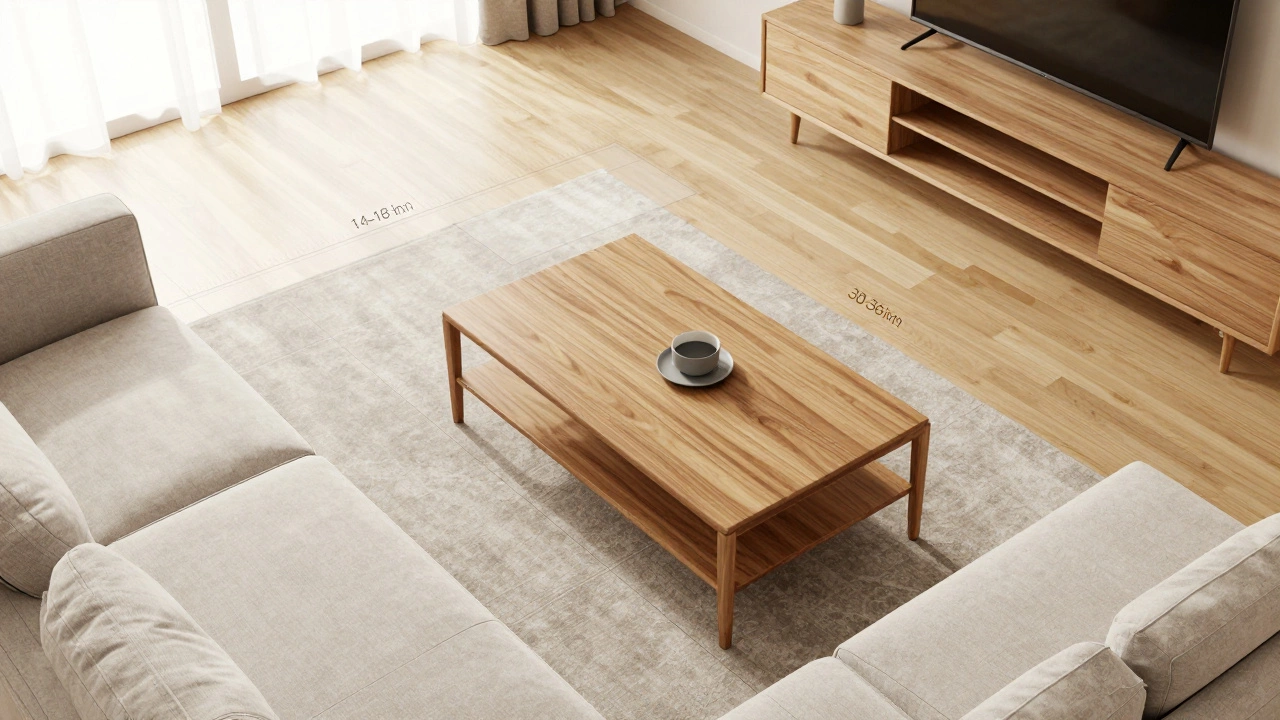
You might be wondering, "What does my coffee table have to do with TV distance?" Everything. The space between your sofa and the TV isn't empty air; it's occupied by circulation paths and functional furniture. Your coffee table acts as the anchor in this zone.
Standard interior design practice suggests leaving 14 to 18 inches between the edge of your sofa seat and the front of your coffee table. This allows you to stretch your legs out comfortably without kicking the wood or glass. However, you also need to ensure there is enough walking space behind the coffee table for people to move around. That usually requires another 30 to 36 inches of clear floor space.
So, if your ideal viewing distance is 8 feet (96 inches), you need to subtract the depth of your sofa (usually 35-40 inches), the depth of your coffee table (usually 20-30 inches), and the necessary walking gaps. Suddenly, that 8-foot gap feels very tight. In smaller rooms, opting for a lower-profile or nested coffee table set can free up crucial floor space, allowing you to keep the TV at a proper distance without blocking traffic flow.
Height and Angle: Don't Forget Vertical Positioning
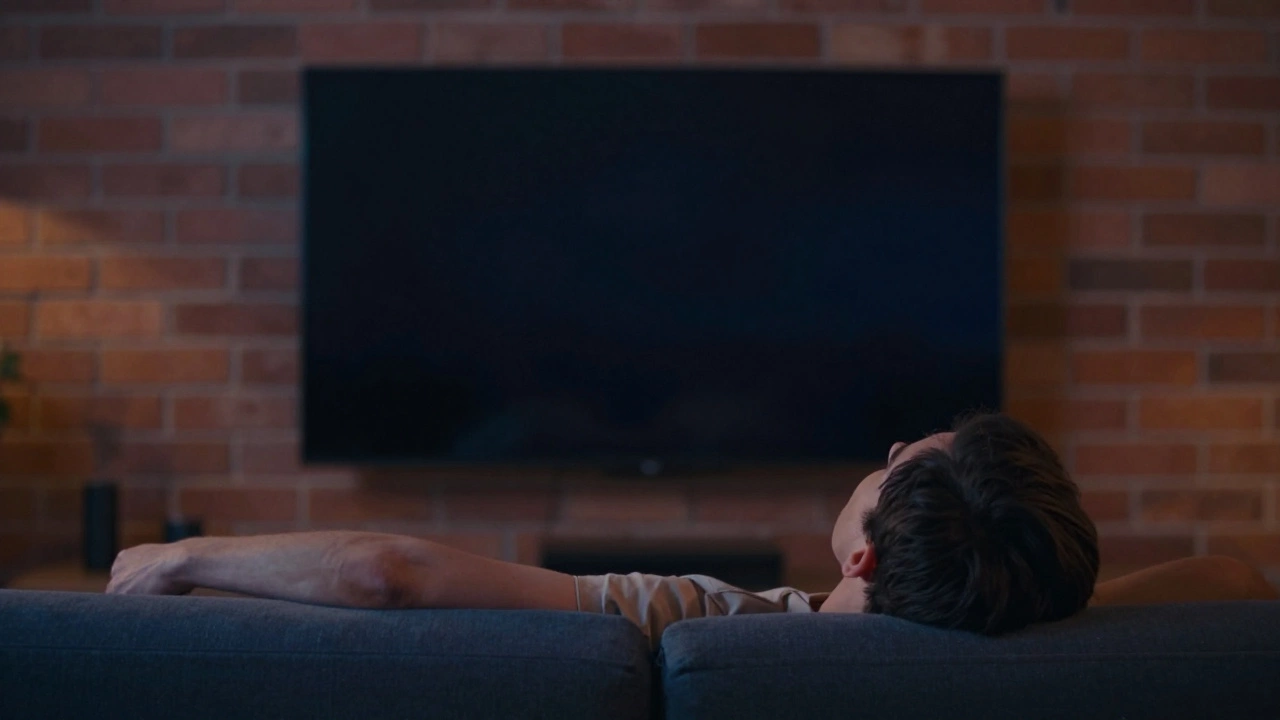
Distance is only half the equation. Height matters just as much. Many people mount their TVs too high, thinking it looks sleeker, but this forces you to crane your neck upward, leading to tension headaches after a few episodes of your favorite show.
The center of your TV screen should be at or slightly below your eye level when you are seated. For the average person, this means the center of the screen should be about 42 inches from the floor. If your sofa has a low seat height, you might need to drop the TV mount lower. Conversely, if you have a deep, plush sectional with sunken cushions, you may need to raise it slightly.
Also consider the angle. If your sofa is positioned at an angle rather than straight-on, the effective viewing distance changes. You’ll want to measure from the primary seating position to the center of the screen, not the corner. An angled setup often requires sitting slightly closer to maintain the same field of view, so adjust your calculations accordingly.
Lighting and Glare: The Hidden Variables
Even if your distance is perfect, glare can ruin the experience. Windows opposite or adjacent to your TV can wash out the image, forcing you to turn up the brightness, which strains your eyes further. If you can’t move the TV, consider blackout curtains or anti-glare film for your windows.
Built-in lighting also plays a role. Bias lighting-a strip of LED lights placed behind the TV-reduces eye strain by balancing the contrast between the bright screen and the dark room. It’s a cheap upgrade that makes a huge difference during night-time viewing. Avoid placing overhead lights directly above the TV, as they reflect off the glossy screen surface.
Adjusting for Different Activities
Your living room likely serves multiple purposes. While watching movies benefits from a closer, immersive distance, gaming might require a different setup. Competitive gamers often prefer sitting closer to react faster to on-screen cues, while casual viewers might prioritize relaxation over precision.
If you use your TV for sports, a wider field of view helps capture the entire pitch or court. This might mean pulling your sofa back a bit further than the strict 4K recommendation. On the other hand, if you primarily watch dialogue-heavy dramas or news, being slightly closer ensures you don’t miss subtle facial expressions or small text overlays.
Consider the flexibility of your furniture. Modular sofas or movable ottomans allow you to reconfigure the space depending on what you’re doing. A rigid, fixed layout works for one scenario but fails in others. Invest in pieces that offer adaptability if your usage varies.
Common Mistakes to Avoid
One of the biggest errors people make is buying the TV first and trying to fit the room around it. Start with the room measurements. Know your wall-to-wall distance, then select a TV that fits within the recommended viewing range. Buying a massive screen for a small room creates discomfort, not luxury.
Another mistake is ignoring sound. If your TV is far away, built-in speakers might seem tinny or quiet. Soundbars or surround sound systems become essential when distance increases, as audio travels differently over longer spans. Ensure your audio setup complements your visual distance.
Finally, don’t neglect cable management. Long runs of HDMI and power cables across the floor create tripping hazards and look messy. Use cable channels, conduits, or in-wall solutions to keep things tidy. A clean environment enhances the overall aesthetic and safety of your living space.
What is the best distance for a 65-inch TV?
For a 65-inch 4K TV, the ideal viewing distance is between 6.5 and 9.5 feet. If you have a 1080p model, aim for 9.5 to 13 feet to avoid seeing pixels.
Should I measure from the wall or the sofa cushion?
Measure from the center of your primary seating position (where your eyes would be) to the center of the TV screen. This accounts for the depth of your sofa and provides a more accurate personal viewing distance.
How does a coffee table affect TV distance?
A coffee table takes up valuable floor space between the sofa and TV. Ensure you leave 14-18 inches between the sofa and table, plus 30-36 inches for walking behind the table. This reduces the available space for optimal viewing, so factor these gaps into your total room measurement.
Is it better to sit closer or further from a 4K TV?
With 4K resolution, you can sit closer without losing image quality. Sitting closer enhances immersion and detail visibility. However, avoid going beyond the minimum recommended distance to prevent eye strain and neck fatigue.
What height should a TV be mounted at?
The center of the TV screen should align with your eye level when seated, typically around 42 inches from the floor. Adjust slightly based on your sofa’s seat height to ensure a comfortable, neutral neck position.